

Paddle vs Stripe for WooCommerce: An Honest Developer Comparison (2026)

Paddle vs Stripe WooCommerce payment gateway comparison 2026

The default advice in the WooCommerce community is “use Stripe.” It’s fast to set up, well-documented, has an official WooCommerce plugin, and the developer experience is genuinely excellent. For most stores, it’s the right call.

But when you’re selling digital products — plugins, themes, software licenses, online courses — to customers in the EU, UK, Australia, or Canada, “just use Stripe” glosses over a compliance problem that can turn into a very expensive mistake. This comparison breaks down where Stripe and Paddle actually differ, what each costs in practice, and how to decide which one belongs in your WooCommerce setup.

They’re Not Competing for the Same Job

Before comparing features, it’s worth clarifying something that most comparison guides skip entirely.

Stripe is a payment processor. It moves money from your customer’s card to your account. Full stop. Everything around that transaction — tax calculation, tax collection, tax remittance, compliance — is your responsibility.

Paddle is a Merchant of Record (MoR). When a customer buys through Paddle, they’re legally purchasing from Paddle, not from you. Paddle is the seller on the receipt. They handle the money movement, but they also collect and remit VAT in the EU, GST in Australia, consumption tax in Japan, and sales tax across US states that require it. They file the returns. They deal with the tax authorities. You get a payout.

That legal distinction changes everything else in this comparison.

The Tax Problem Nobody Wants to Think About

If you sell software or digital products to EU customers, you’re required to charge VAT at the customer’s local rate and remit it to their country’s tax authority. Since 2021, the EU’s VAT One-Stop Shop (OSS) scheme has simplified the paperwork — instead of registering in each country separately, you can file a single quarterly return through your home country’s tax office.

“Simplified” is doing a lot of work in that sentence. You still need to register for VAT OSS, collect proof data to establish where each customer is located (IP address, billing address, and payment country — not just one of them), file four returns per year, and pay the tax in euros even if you invoice in USD. Miss a quarter and the penalties stack up fast.

With Stripe, you handle all of this yourself. Stripe Tax ($0.50 per taxable transaction, after the first 500/month) automates calculation and collection at checkout. The filings and remittance are still your problem. For a developer spending 5–8 hours per quarter on compliance, that’s $500–1,000/year in time cost before any accounting fees.

With Paddle, it’s not your problem. They’re registered everywhere they need to be. They calculate, collect, and remit automatically. You don’t file anything. Plugin developers I’ve talked to switched to Paddle entirely after their first year of manual EU VAT filing — not because of the checkout experience or the feature set, but simply because they didn’t want to think about it anymore.

If your customers are primarily in the US and you’re not dealing with digital goods taxes, this section is largely irrelevant. If they’re international, it’s probably the deciding factor in this entire comparison.

Fees: The Numbers Most Posts Get Wrong

Standard fees at a glance:

StripePaddle
Base fee2.9% + $0.305.0% + $0.50
International card surcharge+1.5%Included
Currency conversion+1.5%Included
Tax calculation & collectionStripe Tax (separate cost)Included
Tax filing & remittanceYour responsibilityPaddle’s responsibility

On a $49 transaction with a US card:

  • Stripe: $49 × 2.9% + $0.30 = $1.72 fee, you net $47.28
  • Paddle: $49 × 5.0% + $0.50 = $2.95 fee, you net $46.05

That’s $1.23 more per sale with Paddle. On 100 sales at $49, Paddle costs you $123 more per month than Stripe’s headline rate.

Now look at a realistic international scenario. Your EU customer pays with a German card in euros. Stripe’s effective rate: 2.9% + 1.5% (international card) + 1.5% (currency conversion) = 5.9% + $0.30. That’s already more expensive than Paddle before you add Stripe Tax or any compliance overhead. The gap between the two narrows substantially once you move off US-card-only assumptions.

The math genuinely favors Stripe for low-ticket items with domestic US customers. For anything above $30–40 with international exposure, Paddle becomes competitive once total compliance cost is factored in.

WooCommerce Integration: Reality vs. Marketing

This is where Paddle has a clear, honest weakness.

Stripe has an official WooCommerce plugin maintained by Automattic. It supports cards, Apple Pay, Google Pay, SEPA Direct Debit, iDEAL, Bancontact, and more. Setup takes about 20 minutes. It handles 3D Secure automatically, works cleanly with WooCommerce Subscriptions, and gets updated on a regular schedule. For the vast majority of WooCommerce stores, this integration is about as solid as it gets.

Paddle has no official WooCommerce plugin. We’ve covered the full landscape of what’s available — the short version is that third-party options exist, quality varies significantly, and several of the free GitHub options haven’t been updated since Paddle launched their current Billing API in 2023. The plugin that worked with Paddle Classic (their old product) often doesn’t work correctly with Paddle Billing, and the distinction isn’t always clearly documented.

If you’re building a WooCommerce store on Paddle, the integration layer deserves careful evaluation before you commit. Look specifically for a plugin that handles Paddle’s webhook-based order fulfillment correctly — Paddle doesn’t redirect customers back to WooCommerce after payment the same way Stripe does, and plugins that don’t account for this will leave you with orders stuck in “pending” indefinitely.

Our Paddle Billing Gateway for WooCommerce was built specifically around the current Billing API and handles the webhook flow, subscription management, and order status transitions correctly. But the broader point stands: Stripe’s WooCommerce integration is more mature, and that matters if you’re not prepared to evaluate plugin quality carefully.

Checkout Experience and Customization

Stripe gives you three options. Stripe Elements embeds a fully customizable checkout directly on your site — customers never leave your domain, and you control every pixel. Stripe Checkout is a hosted page with less customization but faster to set up. Payment Links are no-code, for simple use cases. With Elements, your checkout looks like part of your site. Stripe branding is optional.

Paddle’s default checkout is an overlay modal that appears over your page. It’s clean, it converts well, and Paddle has clearly optimized it over the years. But customers see they’re in a Paddle-branded experience. The inline checkout embed option sits more naturally in your page layout but isn’t as customizable as Stripe Elements.

For the average plugin buyer, this doesn’t meaningfully affect conversion rates. For B2B SaaS targeting enterprise buyers, it can — some procurement systems flag third-party checkout overlays.

Subscriptions and Recurring Billing

Stripe Billing handles almost any subscription model: metered usage billing, annual/monthly toggle with prorated credits, volume pricing tiers, configurable dunning sequences for failed payments, and plan changes mid-cycle. If you’re building SaaS with complex pricing, Stripe Billing is the more capable toolset.

Paddle Billing (launched in 2023, replacing Paddle Classic) handles standard plugin subscription scenarios well — monthly and annual plans, trial periods, pause and resume, plan upgrades and downgrades. The edge-case flexibility isn’t there the way it is in Stripe Billing, but most WordPress plugin businesses are running standard licensing tiers, not metered SaaS billing. For that use case, Paddle Billing is perfectly adequate.

Payouts: What the Documentation Doesn’t Emphasize

Stripe sends payouts to your bank account in your local currency, typically within 2 business days of a transaction clearing. The supported countries list is extensive. New accounts often have a 7-day rolling payout reserve for the first 60–90 days — worth factoring in if cash flow is tight at launch.

Paddle pays out every two weeks by default (configurable to weekly). Payouts arrive in USD, EUR, or GBP via bank transfer or PayPal. The supported payout countries list is shorter than Stripe’s, and this isn’t prominently advertised. Before you invest time in a Paddle integration, verify your country is on their payout list. Developers in several Eastern European, Latin American, and Southeast Asian countries have found this to be a dealbreaker after the integration was already built.

WooCommerce payment settings panel showing multiple gateway options

When Paddle Makes Sense

  • You sell digital products internationally and EU/UK customers are more than 20% of your revenue
  • You’d rather pay a higher per-transaction fee than manage quarterly VAT filings yourself
  • Your average order value is above $30 (the fee difference hurts less at higher price points)
  • You’re selling to individual buyers and small teams, not enterprise with complex procurement requirements
  • You’re early-stage and want compliance off your plate while you focus on the product

When Stripe Makes Sense

  • Your customers are primarily in the US, or you’re selling physical goods or services
  • You need full control over checkout UI and branding
  • You’re building complex subscription billing (metered usage, enterprise tiers)
  • Your products are low-ticket and the fee difference is material to margins
  • You already have tax compliance handled through a separate system
  • You want the most mature, best-supported WooCommerce payment integration available

Can You Run Both?

Yes, and some stores do. A common setup: Paddle as the default for digital products sold internationally, Stripe for US customers or for physical goods where domestic tax obligations are already handled. WooCommerce supports multiple active payment gateways simultaneously.

The added complexity — two dashboards, two payout schedules, two sets of webhooks to maintain — usually isn’t worth it for a solo developer or small team. If you’re running meaningful volume across genuinely different product categories, routing transactions deliberately can make sense.

The Honest Bottom Line

Stripe is the better payment processor. The WooCommerce integration is more mature, the developer tooling is better, and the checkout customization options are more flexible. If you’re building a standard WooCommerce store selling physical goods or operating primarily in the US, Stripe is the default recommendation for good reason.

Paddle solves a different problem. If you’re selling digital products to an international audience and you haven’t sorted out your cross-border tax compliance, Paddle’s higher per-transaction fee is effectively what you’d spend anyway on compliance tools, accounting time, and quarterly filings — just bundled into a simpler package. For many plugin and theme developers, that trade-off is worth it.

The comparison most developers should actually be running isn’t “Paddle vs Stripe.” It’s “Paddle vs Stripe + full tax compliance overhead.” That’s a much closer race — and for international digital product sellers, Paddle often wins it.


If you’ve decided Paddle is the right fit for your WooCommerce store, the integration layer is where most developers hit friction. Our Paddle Billing Gateway for WooCommerce handles the Billing API webhook flow, subscription lifecycle management, and WooCommerce order status transitions correctly — without requiring you to work through Paddle’s entire API documentation first.

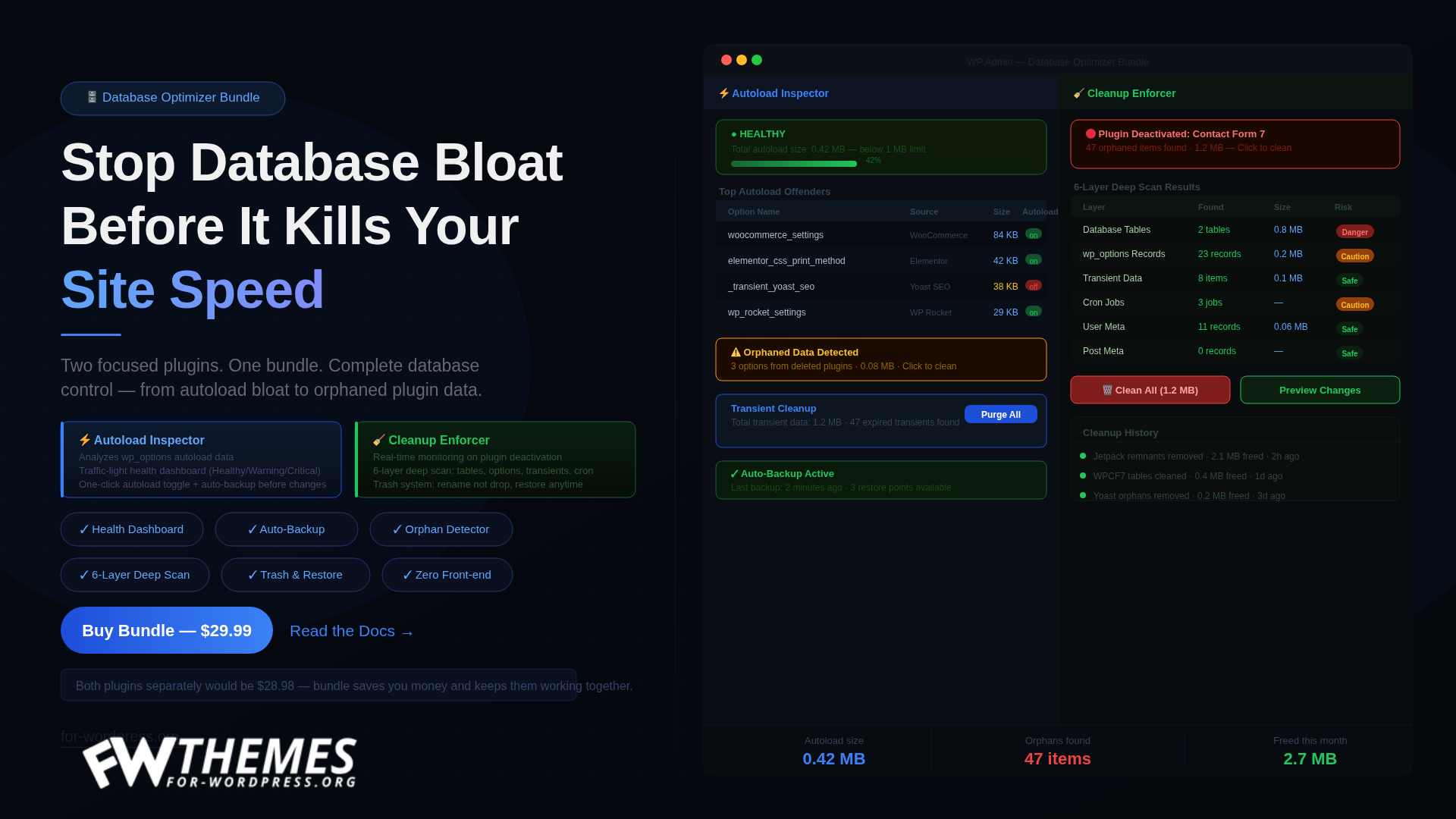
When NOT to Use Accelerator

Most plugin landing pages tell you who they’re for. This one tells you who they’re not for — because getting that wrong costs you money, and it costs me an angry refund request.

I built Accelerator to solve one specific problem: WordPress sites that got slow because too many plugins run on every request, even the requests that don’t need them. If that’s not your problem, Accelerator won’t help you. Here are seven cases where I’ll actively tell you to skip it.

1. You run a small personal blog

If your site has fewer than ten active plugins and your homepage already loads in under a second, you don’t have a plugin bloat problem. You have a content site.

A lean WordPress install with good hosting and a page cache plugin is genuinely fast already. The gains Accelerator produces come from cutting non-critical plugins out of specific request types. When you don’t have many plugins, there’s nothing to cut. You’d be paying $79 for a tool that scans your site and politely tells you it’s already fine.

Install a page cache, put Cloudflare in front of it, and go write your next post.

2. You’re looking for a WP Rocket replacement

Accelerator is not a cache plugin. I repeat that because the first question I get from store owners is “so do I uninstall WP Rocket?”

No. Keep WP Rocket. Keep LiteSpeed Cache. Keep whatever page cache you already have.

Caching answers the question “can I skip generating this page at all?” Accelerator answers a different question: “when I do have to generate this page — because it’s a cart, a checkout, a logged-in dashboard, or anything else cache can’t touch — which plugins actually need to run for it?”

They sit at different layers of the request. If you’re hoping to replace your cache plugin with a single tool, Accelerator isn’t it. Most of my paying users run both, and that’s by design.

3. You want the cheapest plugin on the market

Accelerator starts at $79 for a single site. That’s not a typo and there’s no $19 tier coming.

It’s value-priced against outcomes — p50 response times cut by 30–60% on sites where plugin bloat is the actual bottleneck. If $79 feels steep for one site, your site probably isn’t at the stage where this tool pays for itself.

I’m fine losing that sale. People who buy on price are also the people who refund on price, and that churn is expensive for both of us.

4. You’re on WordPress.com

This one is mechanical: WordPress.com (the hosted platform at wordpress.com) does not allow third-party plugin installation on most of its plans. Accelerator is a plugin for the self-hosted WordPress software, not the .com platform.

If you’re on .com and you want Accelerator, you’d have to migrate to a self-hosted WordPress install first. That’s a much bigger decision than a performance plugin, and I’m not the person to tell you whether it’s the right move for your business.

5. Your plugin stack is already lean and measured

Some teams have already done the work. They’ve audited their plugins, removed anything non-essential, run a profiler, and they know exactly where their remaining response time goes — and it’s not plugin boot overhead.

If that’s you, Accelerator won’t help. The tool is designed for the much more common case: a site that grew a 25-plugin stack over three years, nobody’s sure what half of them do anymore, the frontend is slow, and nobody can cleanly explain why.

If you already have that level of clarity, you’re past the problem this tool solves. You probably need a database consultant or a hosting change, not another plugin.

6. You haven’t actually measured your site yet

This is the most common mistake I see, and it’s the one I’ll refund over fastest.

Before you buy any performance tool — mine or anyone else’s — open your site in an incognito window, go to PageSpeed Insights, and look at the numbers. Then install Query Monitor (it’s free) and look at what’s running on a logged-out request. Then try the same on a cart or checkout page.

If you skip this step and just buy a plugin because “the site feels slow,” you will almost always end up disappointed. Not because the plugin doesn’t work, but because you didn’t know what problem you were solving, so you can’t tell whether it got solved.

Measure first. If the measurement points to plugin overhead on uncached requests, come back.

7. You want a one-click magic button

Accelerator has a setup wizard. It’s six steps. The last step is called “Apply & Soak” and it deliberately doesn’t flip everything on at once — it runs every rule in shadow mode for a soak window (15 minutes to 24 hours, you choose) so you can verify nothing broke before anything actually changes on your site.

That’s not magic. It’s cautious engineering.

If you want a plugin that promises one-click speed with no configuration and no review window, there are plenty of those. Mine isn’t one of them. The reason isn’t technical gatekeeping — it’s that I’ve watched too many sites break from “optimize everything” plugins run without a safety net. I’d rather take ten more minutes of your time than crash your checkout page.

So who is Accelerator for?

If none of the above describes you, and you’re running:

– A WooCommerce shop with 15+ active plugins and a p50 page response north of 500ms

– A membership or LMS site where logged-in pages feel sluggish and caching can’t help you there

– An agency portfolio of client sites where you spend too much time debugging performance one site at a time

…then Accelerator probably earns its $79 on the first site you install it on.

The fastest way to know is to install it run the built-in benchmarker on one slow page, and see whether the plugin scanner finds non-critical plugins running on that request. If it does, you have room to cut. If it doesn’t, you don’t, and you should ignore everything I’ve just said.

Honest product recommendations are cheaper than refunds — for both of us.

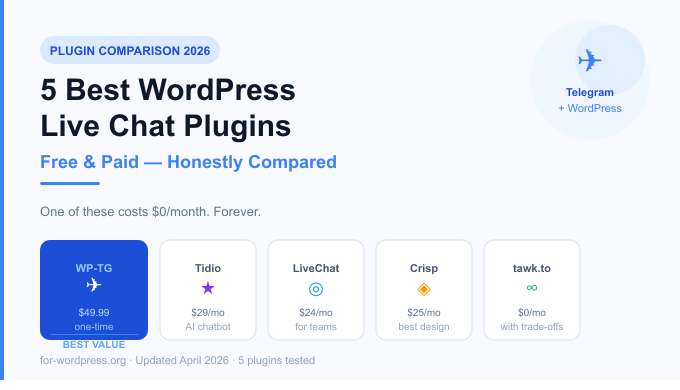
5 Best WordPress Live Chat Plugins in 2026 (Free & Paid Compared)

Live chat is no longer optional. Visitors who can ask a quick question are 3x more likely to convert than those who can’t. But here’s the problem most WordPress site owners run into: every decent live chat solution costs money. A lot of it.

Tidio starts at $29/month. LiveChat is $24/month per agent. Intercom? Don’t even ask. If you run a small business, a personal project, or a plugin marketplace, these numbers add up fast — $300 to $800 per year just to answer customer questions in real time.

We tested and compared 5 of the most popular WordPress live chat plugins in 2026. We looked at pricing, ease of setup, mobile support, features, and one thing most reviews ignore: what happens to your data and your customers when the company raises prices or shuts down.

One of these plugins costs nothing. Not a free trial. Not a freemium tier. Nothing — ever. Let’s get into it.


What Makes a Good WordPress Live Chat Plugin?

Before diving in, here’s our evaluation criteria:

  • Price — total cost of ownership, including monthly fees
  • Setup time — how long from install to first message
  • Mobile support — can you reply from your phone?
  • Notifications — do you actually know when someone messages?
  • Data ownership — who owns the conversation data?
  • Performance — does it slow your site down?
  • No vendor lock-in — what happens if you cancel?

1. WP-TG Live Support Chat — Best Free Option (No Monthly Fees)

Price: $49.99 one-time (free to try with limited features)
Best for: Developers, freelancers, small businesses, anyone who hates monthly fees

WP-TG takes a completely different approach from every other plugin on this list. Instead of routing your chat through a third-party server, it connects your WordPress site directly to Telegram — an app you probably already have on your phone.

When a visitor sends a message from your site, you get a Telegram notification instantly. You reply in Telegram. The visitor sees your reply on your website. No new app to learn, no new dashboard to check, no new tab to keep open.

How it works:

  1. Install the plugin
  2. Create a Telegram bot (takes 2 minutes with BotFather)
  3. Connect the bot to your WordPress site
  4. Done — you’re live

What we liked:

  • Zero monthly cost — you pay once, use forever
  • Instant notifications on your phone via Telegram
  • Works on any device Telegram runs on (iOS, Android, desktop, web)
  • No third-party servers — conversations go directly between visitor and Telegram
  • GDPR-friendly — no data stored on external servers
  • Lightweight — adds less than 15KB to your page

What could be better:

  • Requires a Telegram account (most users already have one)
  • No built-in chat history dashboard in WordPress admin
  • No AI chatbot or automated responses (yet)

Who should use it: Anyone who wants professional live chat without a monthly bill. Perfect for WordPress plugin developers, theme shops, freelancers, and small agencies.


2. Tidio — Best All-in-One Solution

Price: Free tier available. Paid from $29/month
Best for: eCommerce stores that want automation and AI

Tidio is one of the most popular live chat plugins in the WordPress ecosystem, and for good reason. The interface is polished, setup is straightforward, and the free tier is genuinely usable for small sites.

The standout feature is Tidio AI (Lyro) — an AI-powered chatbot that can answer common questions automatically. If you get a lot of repetitive questions about shipping, returns, or product specs, Lyro can handle them without you lifting a finger.

What we liked:

  • Clean, professional chat widget design
  • AI chatbot (Lyro) handles repetitive questions
  • Good free tier for low-volume sites
  • Email marketing integration

What could be better:

  • Price jumps sharply as you scale ($29/month becomes $59, $99 quickly)
  • AI features are locked behind higher tiers
  • Your conversation data lives on Tidio’s servers

Who should use it: Growing eCommerce stores that need automation and can justify a monthly cost.


3. LiveChat — Best for Teams

Price: From $24/month per agent
Best for: Mid-size businesses with dedicated support staff

LiveChat is the enterprise standard. It’s polished, reliable, and packed with features — ticket management, team routing, canned responses, analytics. If you have a support team of 3+ people handling hundreds of chats per day, LiveChat is built for that.

What we liked:

  • Excellent team features (routing, assignment, supervision)
  • Very detailed analytics and reporting
  • 200+ integrations (Salesforce, HubSpot, etc.)
  • Reliable uptime and performance

What could be better:

  • $24/month per agent adds up fast for teams
  • Overkill for solo operators and small businesses
  • No meaningful free tier

Who should use it: Businesses with dedicated support teams who treat live chat as a core business function.


4. Crisp — Best Design and UX

Price: Free tier available. Paid from $25/month per workspace
Best for: Startups and SaaS companies

Crisp has the most beautiful chat widget of any tool on this list. The interface is minimal, modern, and highly customizable. Beyond live chat, Crisp includes a knowledge base, chatbot builder, and email campaigns — positioning itself as a full customer communication platform.

What we liked:

  • Stunning widget design that doesn’t look like a plugin
  • Free tier includes unlimited seats (just limited history)
  • Built-in knowledge base
  • Good mobile app

What could be better:

  • Free tier limits message history to 30 days
  • Advanced features require the higher ($95/month) tier
  • Can feel bloated if you just want live chat

Who should use it: Design-conscious startups and SaaS companies who want a complete customer communication platform.


5. tawk.to — Best Truly Free Option (With Trade-offs)

Price: Free (supported by optional paid “remove branding” add-on)
Best for: Budget-conscious sites that can tolerate the trade-offs

tawk.to is completely free — forever. They make money by offering paid “remove branding” and hired-agent services. For many small sites, this is appealing.

What we liked:

  • Genuinely free, no credit card required
  • Unlimited agents and chat volume
  • Decent mobile app
  • Large user base, well-documented

What could be better:

  • “Powered by tawk.to” branding on widget (paid to remove)
  • Your conversation data lives on their servers permanently
  • Performance can be slower than self-hosted alternatives
  • Business model depends on selling your customers’ attention

Who should use it: Sites with very tight budgets that don’t mind the branding and data trade-offs.


Side-by-Side Comparison

FeatureWP-TGTidioLiveChatCrisptawk.to
Starting Price$49.99 one-time$29/month$24/month/agent$25/monthFree
Year 1 Cost$49.99$348+$288+/agent$300+$0
Year 3 Cost$49.99$1,044+$864+/agent$900+$0
Mobile NotificationsTelegram (instant)AppAppAppApp
No Monthly Fee
Data on Your Terms
AI Chatbot✅ (paid)✅ (paid)✅ (paid)
Team Features
Setup Time~5 minutes~10 minutes~15 minutes~10 minutes~10 minutes
Performance ImpactVery lowMediumMediumMediumMedium
GDPR FriendlyPartialPartialPartialPartial
Free TrialN/A

The Real Cost of “Free” Monthly Plans

Here’s something most comparison articles don’t show you: the true 3-year cost of monthly live chat tools.

If you pay $29/month for Tidio’s basic plan:

  • Year 1: $348
  • Year 2: $348
  • Year 3: $348
  • Total after 3 years: $1,044

For that same $1,044, you could buy WP-TG 20 times over — and still have $1,000 left.

For solo developers, freelancers, and small businesses, the math is simple. Monthly subscriptions are investments that pay off at scale. If you’re handling 50 chats per day across a team of 10 agents, LiveChat at $24/month is a bargain. If you’re a WordPress plugin developer answering 5 questions per week, it’s highway robbery.


Which Plugin Should You Choose?

Choose WP-TG if: You want professional live chat without a monthly bill, you already use Telegram (or are willing to), and you value data privacy. Perfect for freelancers, developers, and small businesses.

Choose Tidio if: You run an eCommerce store, want AI automation, and have budget for monthly fees.

Choose LiveChat if: You have a dedicated support team and need enterprise-grade team management features.

Choose Crisp if: Design matters to you and you want a full customer communication platform beyond just chat.

Choose tawk.to if: Your budget is genuinely zero and you can live with the branding and data trade-offs.


Final Verdict

After testing all five, our recommendation depends entirely on your situation. But if we had to pick one plugin for the typical WordPress site owner — a developer, freelancer, or small business running a lean operation — it’s WP-TG.

The reason is simple: it works, it’s instant, you already have Telegram on your phone, and you pay for it exactly once.

The monthly fee model made sense when software was expensive to host and maintain. In 2026, paying $348 per year to route chat messages through someone else’s server is hard to justify when a one-time alternative works just as well for 90% of use cases.


Try WP-TG for Free

WP-TG Live Support Chat is available at for-wordpress.org. The plugin includes a demo site where you can test the experience before buying.

  • Demo
  • Product page
  • Price: $49.99 — one-time purchase, lifetime updates, 30-day money-back guarantee

Tested in April 2026. Prices and features verified at time of publication.