

Description
Most WordPress documentation solutions look like they were built in 2015 — clunky knowledge base plugins, bloated page builders, and zero attention to design. Meanwhile the best developer products ship docs that are fast, clean, and genuinely pleasant to read.
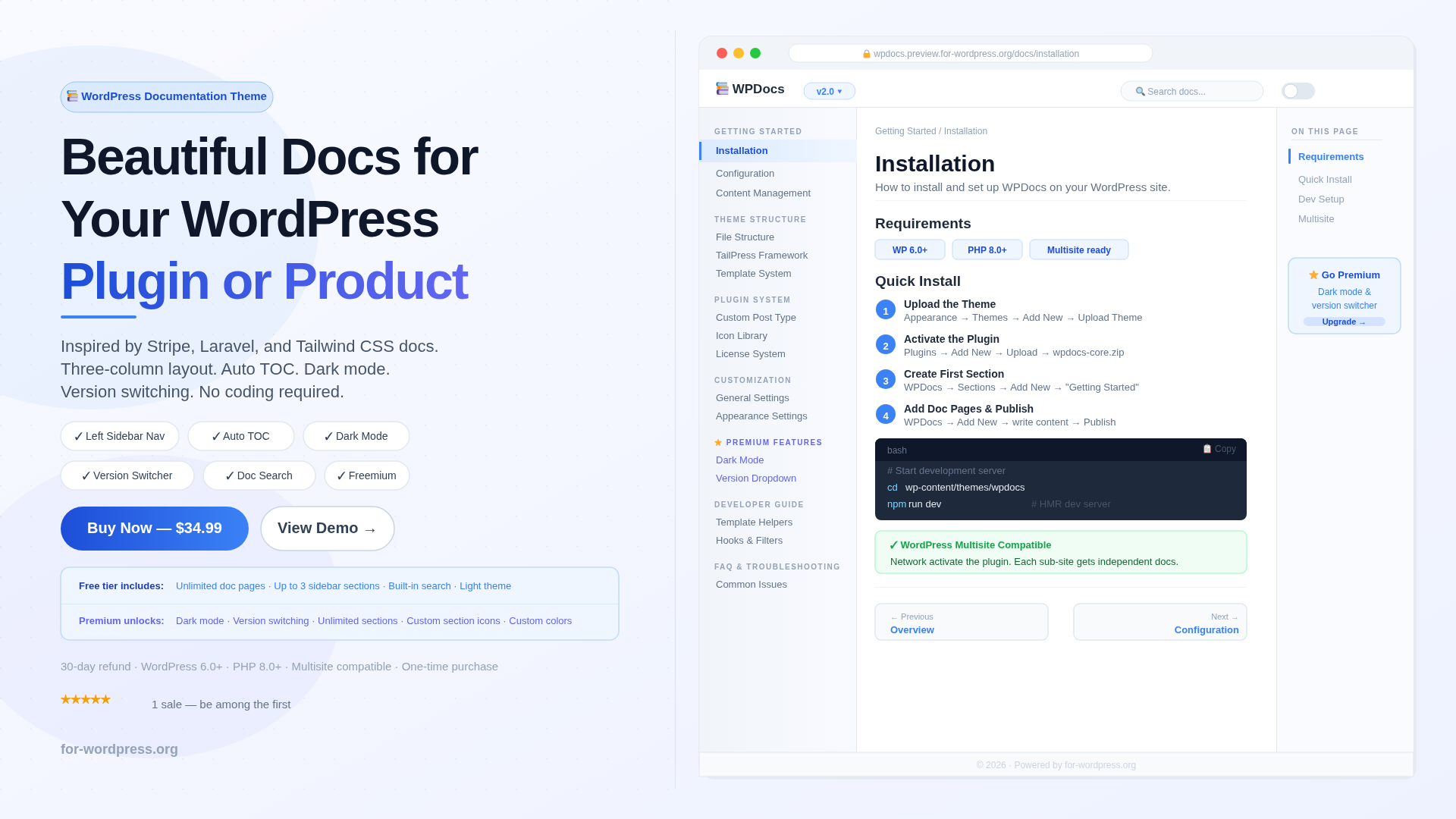
WPDocs bridges that gap. It is a purpose-built WordPress theme paired with a core plugin that turns your site into a documentation portal inspired by Stripe, Laravel, and Tailwind CSS docs.
How It Works
Install the theme and plugin, create your first Section (like “Getting Started”), add Doc Pages inside it, and publish. Your documentation site is immediately live with a professional three-column layout, working search, and automatic navigation.
The Three-Column Layout
The left sidebar organizes your content into collapsible sections with custom icons and drag-and-drop ordering. The center column renders your content beautifully with Tailwind Typography — code blocks, headings, tables, and callouts all look great without manual styling. The right “On This Page” sidebar auto-generates from your H2 and H3 headings and highlights the current section as readers scroll.
Built for Real Documentation
Previous and Next navigation guides readers through your docs sequentially. Doc-specific search lets users find any page instantly without leaving the documentation. Version switching lets you maintain multiple versions of your docs simultaneously — perfect for plugin or API documentation. Code blocks render with dark backgrounds, syntax highlighting support, and a copy button.
Freemium Model
The free version includes unlimited doc pages, up to 3 sidebar sections, built-in search, and a clean light theme. A premium license unlocks dark mode, version switching, unlimited sidebar sections, custom section icons, custom primary color, and footer credit removal. Every premium feature is visible in the settings with a clear upgrade path — nothing is hidden.
What You Get
Lifetime license for 1 site. All future theme and plugin updates included. 30-day money-back guarantee.
Requirements
WordPress 6.0 or higher. PHP 8.0 or higher. Works with WordPress Multisite — the plugin can be network activated and each sub-site maintains independent documentation.
FAQ
Do I need the plugin as well as the theme? Yes. WPDocs consists of two components — the theme handles the front-end layout, the core plugin handles the custom post type, sections, settings, and license. Both are included in your purchase.
Is there a free version I can try first? Yes. The free theme version is available and gives you unlimited doc pages with up to 3 sidebar sections. Purchase the premium license when you are ready for dark mode, version switching, and unlimited sections.
Does it work with my existing WordPress content? WPDocs uses a custom post type called wpdocs_doc. Your existing posts and pages are not affected. The theme is specifically designed for documentation, not a general-purpose blog theme.
Can I use this on a WooCommerce store? WPDocs does not include WooCommerce templates. It is designed for documentation portals, not shop pages. You can run it on a separate WordPress installation dedicated to your docs.
What if it does not work for me? 30-day money-back guarantee. Email us and we refund in full.
Jenny D. –
The documentation themes I used before either looked too old or too complicated; wpdocs is incredibly simple and has a great design. Its one-time price is very attractive compared to its competitors. I love the version control system.
Laura Henriksen –
We were about to pay $300/year for GitBook when I found this. Set it up on a subdomain, imported our markdown files, and had a full documentation portal running in under an hour. The three-column layout looks professional, the search is fast, and dark mode was a must-have for our developer audience. Saved us a fortune compared to hosted solutions.
Ryan –
The auto table of contents alone is worth the price. Every doc page automatically generates a right-side TOC from headings, so readers can jump to any section. Add the sidebar navigation, version switching, and instant search — this is genuinely better than some SaaS documentation tools I’ve used. And it’s all self-hosted. No vendor lock-in.
Natalie F. –
We use this for our SaaS product documentation. The version switching feature is great for maintaining docs for v1 and v2 simultaneously. The only thing I’d want is better code syntax highlighting out of the box — we had to add Prism.js manually. But the overall structure and UX of the portal is excellent. Our users have commented on how clean it looks.
Daniel Almeida –
I’m a solo developer with a WordPress plugin that needed proper documentation. Looked at ReadTheDocs, Docusaurus, and a few others — all of them required either a separate hosting setup or a build pipeline. With WPDocs I just installed it on my existing WordPress site and started writing. No coding, no deployment pipeline. The result looks completely professional. Exactly what I needed.
camille dubois –
Beautiful documentation theme. I used it to build an internal knowledge base for our agency — onboarding guides, client procedures, technical references. The sidebar navigation makes it easy to organize everything hierarchically. Dark mode is a nice touch, our devs appreciate it. Very polished for a WordPress-based solution. Highly recommend.